
iPhone Screen Mirroring Lag on Apple TV: A DFW Repair Tech Explains the Real Cause (Plus Siri Remote Replacement Costs)


If you have spent the last few weeks yelling at your TV in a living room somewhere between Bedford and The Colony because your iPhone screen mirroring lag on Apple TV just will not go away, you are not alone. Our bench has seen a noticeable uptick in customers asking about this exact issue since Apple pushed its latest iOS and tvOS updates. Some of them are dealing with a genuine network hiccup. Others, more often than they expect, are actually dealing with a hardware problem inside the phone itself.
I have spent years repairing phones, tablets, and laptops for folks across the DFW metro, and one thing I have learned is that "it's probably just my WiFi" is one of the most common misdiagnoses we hear at the counter. So let's break down what is actually happening when your AirPlay mirroring stutters, why your Siri Remote might be part of the problem, and what it actually costs to fix either issue here in North Texas.
What Causes iPhone Screen Mirroring Lag on Apple TV?
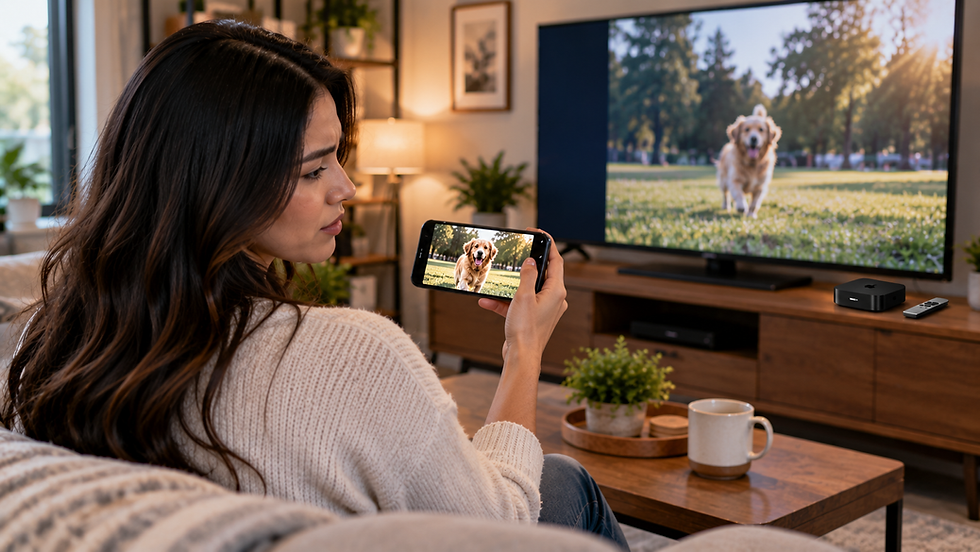
AirPlay mirroring relies on your iPhone and Apple TV talking to each other constantly over your home WiFi network, and sometimes over Bluetooth for the initial handshake. When that connection is solid, mirroring feels instant. When it is not, you get the dreaded frozen frame, choppy audio, or a full drop back to the home screen.
There are a handful of common culprits behind iPhone screen mirroring lag:
Network congestion. If your router is overloaded with smart home devices, streaming boxes, and multiple phones, AirPlay traffic gets deprioritized. This is especially common in newer DFW subdivisions where everyone in the house is on the same 2.4GHz band instead of 5GHz.
Outdated software. Apple regularly patches AirPlay bugs in both iOS and tvOS. A mismatch between an old iPhone software version and a newer Apple TV build (or vice versa) can cause exactly the kind of stutter people are reporting right now.
Case or accessory interference. Thick metal-backed cases or magnetic wallet attachments can interfere with the iPhone's internal antennas, which handle both WiFi and Bluetooth signal.
Actual hardware damage inside the phone. This is the one most people do not consider,
and it is where our shop gets involved.
When It's Your iPhone, Not Your Apple TV

Here is a real example from our Bedford location earlier this summer. A customer came in convinced her Apple TV was defective because every mirroring session lagged badly after about 90 seconds, then disconnected entirely. She had already swapped routers and even bought a new HDMI cable. When we ran diagnostics on her iPhone 13, we found the WiFi antenna connector had been partially dislodged from a drop months earlier. It was not obvious in daily use because calls and basic browsing still worked fine, but the sustained, high-bandwidth connection that mirroring requires was too much for the damaged connection to handle reliably.
We see this pattern often enough that it is worth naming the warning signs your lag is coming from the phone itself rather than your streaming setup:
Your phone runs noticeably warm during mirroring even on short sessions. Battery drains unusually fast while AirPlay is active, which often points to a battery that has degraded below optimal health and is struggling under sustained load. WiFi or Bluetooth connectivity issues show up in other apps too, not just Apple TV. The phone has a cracked screen or has been dropped recently, which can stress internal ribbon cables connected to the antenna array.
If any of that sounds familiar, it is worth having the phone looked at rather than replacing perfectly good networking equipment. A full diagnostic at our shop typically takes under 30 minutes, and if it turns out to be an antenna or logic board connection issue, repairs generally run in the $89 to $179 range depending on the model and what exactly needs reseating or replacing. If a worn battery is the actual root cause, a standard battery replacement runs $69 to $99 for most iPhone models. You can see current options on our iPhone repair service page.
For more on how Apple recommends troubleshooting AirPlay connectivity issues before assuming hardware failure, their official guide is a solid first stop: Apple's AirPlay troubleshooting support page.
Siri Remote Replacement Cost in DFW

The second half of this trending question is about the Siri Remote itself. If your remote is unresponsive, has a dead battery that will not hold a charge, or got lost in the couch cushions permanently, replacing it directly through Apple typically runs somewhere in the $59 to $79 range depending on which generation your Apple TV uses, plus tax. That is a meaningful chunk of change for a small piece of plastic and a battery, which is why a lot of DFW households ask around before buying new.
We had a customer from The Colony stop in last month after her toddler dropped the family's Siri Remote in a glass of juice. She assumed it was a lost cause and was pricing out a full replacement online. While remote repair is not something our shop handles directly since we specialize in phones, tablets, laptops, and gaming consoles, we were able to point her toward the correct official replacement part number so she did not accidentally order the wrong generation remote for her Apple TV model, which is a surprisingly common and expensive mistake.
One thing worth knowing: Apple TV remotes are not covered under most standard consumer protection return windows once they show liquid damage, so it is worth checking your original AppleCare coverage or purchase warranty before assuming you are stuck paying full price. The FTC's consumer rights resources are a good general reference if you are ever unsure what a warranty actually covers on electronics purchases.
Quick Fixes to Try Before You Spend Any Money
Before assuming you need a repair or a new remote, try these steps in order. First, restart both your iPhone and Apple TV, which resolves a surprising number of temporary AirPlay glitches. Second, make sure both devices are updated to the latest software version under Settings. Third, move your router to broadcast a dedicated 5GHz network if it is not already, since 2.4GHz bands get crowded fast in denser DFW neighborhoods. Fourth, remove thick cases temporarily and see if mirroring improves, which can point to antenna interference. Fifth, forget the Apple TV in your iPhone's AirPlay settings and reconnect fresh.
If you go through all five steps and the iPhone screen mirroring lag persists, especially if it is paired with overheating, fast battery drain, or connectivity issues elsewhere on the phone, that is a strong signal the problem lives inside the device rather than your entertainment setup.
It is also worth noting that if your iPhone has any physical damage, even something as small as a hairline crack near the edge, it can put stress on internal components including the antenna assembly over time. iFixit has a helpful breakdown of just how tightly packed modern iPhone internals are, which explains why seemingly unrelated damage can affect wireless performance: iFixit's iPhone repair guides.
How iFix Can Help

With more than 10,000 devices repaired across our Bedford and The Colony locations, our technicians have gotten good at telling the difference between a network problem and an actual hardware fault, and we will always tell you honestly which one you are dealing with before recommending any repair. If your iPhone is running hot, draining fast, or struggling to hold a stable WiFi or Bluetooth connection during AirPlay mirroring, bring it in for a diagnostic. We will check the battery health, antenna connections, and charging port, and give you a straightforward price before any work begins.
We also handle screen repairs, battery replacements, charging port fixes, and water damage treatment for iPhones, along with Samsung and other Android device repairs, iPad and tablet repairs, and MacBook and laptop repairs if your streaming or mirroring issues are coming from a different device entirely. You can see our full lineup on our services page.
Ready to get your iPhone checked out? Book an appointment with iFix at our Bedford or The Colony location and we will have your mirroring, battery, or connectivity issue diagnosed the same day in most cases.
FAQ
Why does my iPhone lag when mirroring to Apple TV but work fine for everything else?
Mirroring requires a sustained, high-bandwidth wireless connection, which puts more strain on your phone's antenna and battery than typical daily use like texting or browsing. Minor antenna damage or a weakened battery can go unnoticed until you ask the phone to sustain that kind of connection for several minutes at a time.
Is it cheaper to fix my iPhone or just buy a new one if mirroring keeps failing?
In most cases, repair is significantly cheaper. A battery replacement runs about $69 to $99, and antenna or connector repairs typically fall between $89 and $179 depending on the model. Compare that to the cost of a new iPhone, and a repair almost always makes more financial sense if the rest of the device is in good shape.
Do I need an appointment for a diagnostic at iFix in Bedford or The Colony?
Walk-ins are welcome at both locations, but booking ahead through our online scheduler generally gets you in and out faster, especially on weekends when our DFW locations tend to be busiest.


Comments