iPhone Face ID Privacy: What DFW Residents Should Know Before Repair or Trade-In
- Zachary Fleming

- Aug 6
- 6 min read

Over the past few months, national headlines about facial recognition data collection, biometric privacy lawsuits, and photo library scanning have made a lot of DFW iPhone owners nervous. If you have ever wondered what actually happens to your Face ID data, your photo library, or your saved passwords when you hand your phone over for repair or trade it in for a new model, you are not alone. As a repair shop that has serviced more than 10,000 devices across Bedford and The Colony, we get asked about iPhone Face ID privacy almost every week, and the concerns are only growing as facial recognition technology gets more attention from regulators and consumers alike.
This post breaks down what iPhone Face ID privacy actually means for your data, what happens to that information during a screen repair or a trade-in, and the practical steps DFW residents should take before letting any device out of their hands.
Why iPhone Face ID Privacy Is Suddenly a Bigger Conversation

Face ID was designed by Apple to store facial mapping data locally, inside a secure enclave on the device, rather than uploading it to the cloud. Apple has published detailed technical documentation on how this works, and the company has generally been transparent that the mathematical representation of your face never leaves your phone under normal use. You can read Apple's own explanation of how Face ID handles this data on their Face ID security support page.
That said, the recent wave of privacy concern is not really about Face ID itself getting hacked. It is about a bigger question: what happens to everything connected to your facial data and photo library, including tagged photos, cloud backups, and biometric profiles, when a device changes hands. Texas actually has one of the stronger state-level biometric privacy laws in the country, the Capture or Use of Biometric Identifier Act, which regulates how companies can collect and store biometric identifiers like facial geometry. DFW residents are somewhat protected on the corporate side, but that protection does not automatically extend to what happens when you sell, trade in, or repair your own personal device.
When you bring a phone in for repair, whether it is a cracked screen or a battery replacement, your Face ID data itself is never something a technician touches or sees. But your photo library, saved logins, and iCloud-linked accounts are a different story if the device is not properly secured or wiped beforehand.
What Actually Happens to Your Data During a Repair

Here at iFix, we see this play out constantly. A customer from Bedford came in last spring with a shattered iPhone 13 screen. He was worried because he had thousands of family photos, including scanned images of his kids that Apple's Photos app had automatically tagged using facial recognition to organize into albums. He assumed a screen replacement meant his phone, and all that data, would be exposed to strangers.
In reality, a standard screen repair does not require a technician to access your photo library, your Face ID enrollment, or your passwords at all. Our techs work on the physical hardware, the display assembly, digitizer, and connecting cables, without ever needing your passcode for a basic screen swap in most cases. For more involved repairs, like a logic board issue or a diagnostic that requires powering into the home screen, we always ask for explicit permission and recommend customers back up and, if comfortable, temporarily disable Face ID before drop-off. If you are dealing with a cracked screen specifically, our screen repair service team can walk you through exactly what access is needed before you leave your device with anyone.
Trade-Ins Are Where the Real Risk Lives
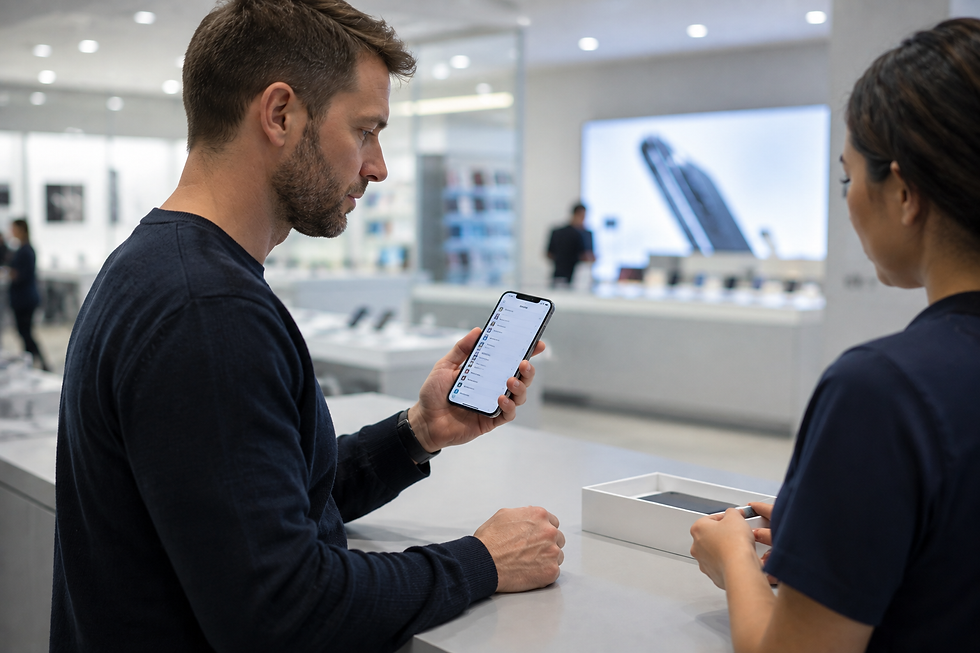
The bigger iPhone Face ID privacy concern is not repair, it is trade-in and resale. When you trade in a phone at a carrier store or a big-box retailer, that device may sit in a processing queue for days or weeks before it is wiped. If you did not properly erase your data first, including turning off Find My iPhone and unlinking your Apple ID, your photo library and biometric-tagged albums could theoretically remain accessible longer than you would like.
We had a customer from The Colony bring in an iPhone 12 last year specifically to have us verify that a factory reset had actually removed everything before she traded it toward a new iPhone 15. That kind of caution is smart. Apple's own guidance on preparing a device before trade-in or resale is detailed on their support page for erasing your iPhone, and it is worth following exactly, including signing out of iCloud and confirming Activation Lock is off.
Practical Steps Before Any Repair or Trade-In

Based on what we see daily across our Bedford and The Colony locations, here is what we recommend to every customer concerned about iPhone Face ID privacy and photo data:
Back up your device to iCloud or a computer before any repair, even a simple one. Disable Face ID temporarily if the repair requires full device access, which we will always tell you upfront. Sign out of iCloud and remove Activation Lock before any trade-in, not just a factory reset. Ask your repair technician directly what level of access they need for your specific repair, a reputable shop will always explain this clearly rather than asking for a blanket passcode with no explanation.
If your device has a more complex issue, like water damage or a component failure that requires deeper diagnostic work, that is when clear communication about data access matters most. Repairs of that complexity are also where working with an experienced technician pays off, since improper handling can sometimes trigger unintended factory resets or data loss. For a sense of how repair complexity varies by issue, iFixit's repair guides are a great independent resource showing just how many components modern iPhones pack around that camera and sensor array.
What This Means for Repair Pricing and Decisions

We also get asked whether privacy concerns should change what repair option someone chooses. Our honest answer as technicians: choose your repair shop based on trust and transparency, not just price. A standard iPhone screen repair at iFix typically runs between $79 and $299 depending on the model, with older iPhones like the SE or iPhone 11 on the lower end and newer Pro Max models on the higher end. Battery replacements generally run $49 to $89. Charging port repairs are usually $59 to $99. These prices reflect genuine OEM-quality parts and technicians who understand exactly what data access is and is not required for each job.
Compare that to shipping your phone to a mail-in repair service where you have no visibility into who handles your device or how long it sits unattended with your data still on it. Local, in-person repair means you can watch your device the entire time if you want, ask questions in real time, and walk out with it the same day in most cases.
This applies beyond iPhones too. We see similar questions from customers bringing in Samsung devices with their own biometric unlock features, as well as iPads using Face ID for app authentication. The same principles apply across the board: know what data lives on the device, back it up, and understand what access a repair actually requires.
How iFix Can Help
At iFix, we take iPhone Face ID privacy and photo data security seriously because we know it is not just about fixing a screen, it is about handing over a device that holds someone's entire digital life. Our technicians in Bedford and The Colony walk every customer through exactly what access is needed before we touch a device, and we can help you back up, secure, or wipe your phone properly whether you are here for a repair or preparing for a trade-in. If you have questions about your specific device or want to schedule a repair with a team that treats your data like it matters, you can book an appointment with iFix here.
FAQ
Does a repair technician ever see my Face ID data?
No. Face ID facial mapping data is stored in a secure enclave on the device itself and is not accessible to technicians, even during deep diagnostic repairs. What technicians may need access to, depending on the repair, is the general unlock screen to test functionality, which is why we always explain exactly what access a given repair requires before starting work.
Should I factory reset my iPhone before bringing it in for screen repair?
For most standard screen repairs, a factory reset is not necessary since the repair does not require access to your photo library or personal data. However, we always recommend backing up your device beforehand as a precaution, and if your repair involves deeper board-level work, we will let you know if a temporary reset or Face ID disable is advisable.
What is the safest way to prepare my iPhone for trade-in?
Back up your device fully, sign out of iCloud, turn off Find My iPhone, and confirm Activation Lock is disabled before handing your phone over for trade-in. A factory reset alone is not always enough if these steps are skipped, since Activation Lock can remain tied to your Apple ID. If you are unsure whether your device is properly wiped, our team at either the Bedford or The Colony location can verify it for you before you trade it in.


Comments