Glitchy or Hacked iPhone Repair in DFW: What Apple's Bug Bounty Changes Mean for Your Security Updates

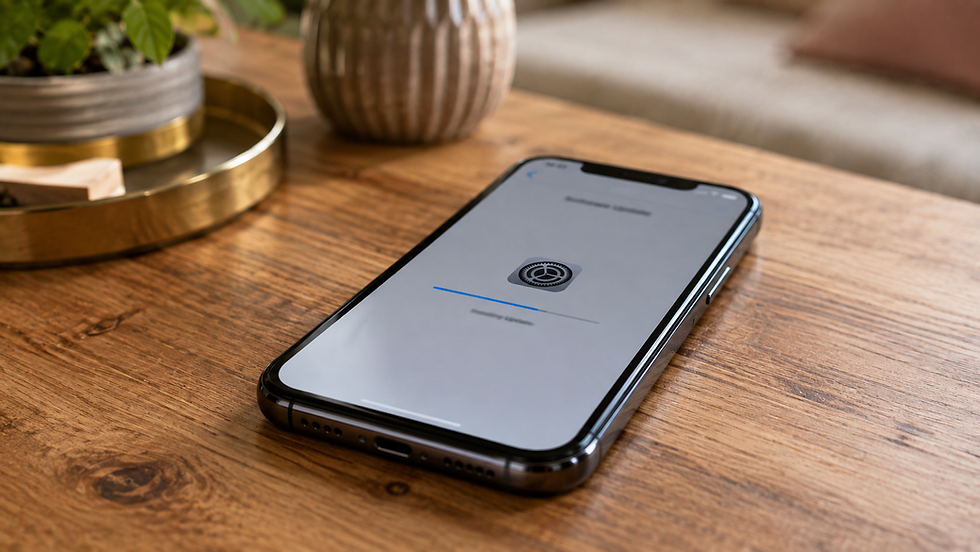
After more than 10,000 devices repaired across our two North Texas locations, we have seen every kind of iPhone problem you can imagine. Cracked screens, swollen batteries, water damage from Lake Grapevine, and yes, phones that customers were convinced had been hacked. Lately we have been getting a new type of question at the counter, and it is tied to a headline that made the rounds in the tech world: Apple significantly overhauled its bug bounty program, raising top payouts to seven figures for the most serious exploits.
People read that and understandably wonder what it means for them. Is my iPhone less safe? More safe? Should I be worried about that weird glitch where my screen flickers and apps close on their own? This post breaks down what the Apple bug bounty changes actually do, how they connect to the security updates that land on your phone, and exactly when it makes sense to bring a glitchy or possibly hacked iPhone into our Bedford or The Colony shop for a hands-on look.
What Actually Changed With Apple's Bug Bounty Program

A bug bounty program is a formal system where a company pays independent security researchers to find and privately report vulnerabilities instead of selling them to criminals or spyware brokers. Apple has run one for years, but in late 2025 the company expanded it in a big way. Top rewards for the most dangerous category, a zero-click exploit chain that can take over a phone with no user interaction, moved up to a maximum around two million dollars, with bonus multipliers that can push a single report much higher. Apple also added new reward categories for things like one-click WebKit exploits and wireless proximity attacks, and it lowered the bar so researchers get paid for bugs found in beta software before they ever reach the public.
You can read the specifics on Apple's official Security Bounty page, but the short version is this: Apple is paying a lot more money to attract the same talent that nation-state spyware vendors are trying to recruit. When a researcher can earn a legitimate, taxable payday from Apple, more bugs get reported through the front door and fixed quietly before anyone weaponizes them.
Why This Matters for the Average DFW iPhone Owner

For most people commuting on the 121 or picking up kids in The Colony, the practical effect is invisible but real. More reported bugs means more patches, and it means faster patches for the flaws most likely to be used against real targets. It also means the security updates Apple pushes out are increasingly important, because the gap between a bug being discovered and a bug being exploited keeps shrinking. A vulnerability that Apple pays two million dollars for is exactly the kind of thing that gets used against journalists, executives, and government workers within days of becoming known.
The catch is that none of this protects a phone that never installs the update. That is where a huge number of the "I think I got hacked" cases we see actually start.
How Bug Bounties Connect to the Updates on Your Phone

Every time Apple ships an iOS update, the release notes include a security content page listing the CVEs, the tracking numbers for individual vulnerabilities, that the update fixes. Many of those credits go to outside researchers who were paid through the bounty program. When Apple ships a Rapid Security Response, those small out-of-cycle patches that install in a couple of minutes, it is almost always because a serious bug was reported privately and Apple wanted it closed before word spread.
So the bounty expansion and your update habits are two ends of the same chain. Apple funds the discovery, ships the fix, and then it is on you to install it. Apple's own guidance on keeping your iPhone and iOS up to date recommends turning on automatic updates so you are not relying on memory. We check update status on every iPhone that comes through our doors for a software complaint, and it is not unusual to find a phone three or four versions behind, missing months of patches.
Here is the technician's honest take. The overwhelming majority of iPhones we see are not hacked. They are running outdated software, carrying a bad configuration profile from a sketchy app or a "free VPN," dealing with a failing battery that causes random shutdowns, or suffering from a hardware fault that mimics software chaos. Actual targeted spyware is rare and expensive to deploy. But the symptoms overlap enough that you cannot always tell from the couch, and that is a reasonable time to get a professional set of eyes on it.
Signs Your iPhone Is Glitchy Versus Possibly Compromised

Not every weird behavior points to a security problem. Use this as a rough guide before you decide whether a glitchy or possibly hacked iPhone needs a shop visit.
Usually Just a Glitch or Hardware Issue
Screen flickering, ghost touches, or the display registering taps you did not make often trace back to a failing screen or a bad repair done elsewhere with a low quality part. Random shutdowns at 30 or 40 percent battery almost always mean the battery has aged past its useful life. Apps crashing after a major iOS update usually resolve with an app update or an offload and reinstall. Overheating during navigation or gaming is normal. A phone that feels slow after four or five years is showing its age, not a breach.
Worth a Closer Look
Battery draining fast even when idle, a device that runs warm while sitting untouched on the nightstand, mobile data usage spiking with no change in habits, pop-ups appearing outside the browser, a sudden unknown configuration profile under Settings, General, VPN and Device Management, or Apple sending you a threat notification. Any of those, especially in combination, is a good reason to bring the phone in rather than guess.
A Real Customer Scenario From Our Bedford Shop
A few months back a customer who works in Las Colinas came into our Bedford location certain her iPhone 13 Pro had been hacked. She described pop-ups on her lock screen, the battery dying by early afternoon, and the phone getting hot in her bag. She had already read about spyware targeting people in her industry and was ready to buy a new phone that day.
We ran our standard software and hardware diagnostic. Two things turned up. First, there was a configuration profile installed by a "phone cleaner" app she had downloaded during a road trip, and that profile was pushing the lock screen ads and routing some of her traffic. Second, her battery health had dropped to 79 percent with a high cycle count, which explained the heat and the afternoon shutdowns. We removed the profile, walked her through a clean settings review, updated iOS, and replaced the battery. Her total was under 100 dollars for the battery work, and she left with the same phone she walked in with. No breach, no spyware, just two ordinary problems stacked on top of each other and made scarier by a news cycle.
That is the pattern we see constantly. It is also why we do not upsell people into a "malware removal" package. On iPhone, the fix is almost always update, remove bad profiles, review settings, and address the hardware.
What a Security-Focused iPhone Checkup Costs in DFW
Pricing at our two shops is straightforward, and we quote before we start any work. A diagnostic to evaluate a glitchy or possibly hacked iPhone is free when it leads to a repair, and 25 to 40 dollars as a standalone deep check with a written summary. A software cleanup that includes iOS updating, profile removal, settings hardening, and a guided backup runs 49 to 99 dollars depending on how much data migration is involved.
If the diagnosis points to hardware, iPhone battery replacement runs 49 to 129 dollars depending on model. iPhone screen repair ranges from about 89 dollars on older models to 129 to 379 dollars on recent Pro models with the higher end covering OLED assemblies. Back glass repair runs 99 to 249 dollars. If you want to talk through your specific model, our iPhone repair service page lists current options, and you can see the full menu on our all services page. Android owners are covered too, since a lot of the same principles apply to Samsung and other smartphone repairs.
One more note on your rights. If your iPhone is still under Apple's limited warranty or an AppleCare plan, a genuine hardware defect should be covered by Apple at no charge. Independent shops like ours are for out-of-warranty devices, faster turnaround, or issues Apple will not touch. The FTC's guidance on warranties is a good refresher if you are unsure where you stand before paying for any repair.
How iFix Can Help

If your iPhone is acting strange and you cannot tell whether it is a harmless glitch, an outdated OS, a bad app profile, or something worse, bring it to one of our North Texas shops. Our technicians will confirm your iOS is current, check for and remove unauthorized configuration profiles, review your privacy and sharing settings with you, test the battery and other hardware, and give you a plain-language answer about what is going on. If a real repair is needed, you get a firm quote first. If nothing is wrong, we will tell you that too.
We serve Bedford, The Colony, and the surrounding DFW metro including Hurst, Euless, Grapevine, Frisco, Plano, and Lewisville. Most software checkups and battery jobs are same-day. You can walk in or book an appointment online to lock in a time that works around your schedule.
FAQ
Do the Apple bug bounty changes mean my iPhone is more vulnerable now?
No. The changes increase the money Apple pays researchers to privately report serious bugs, which generally means more vulnerabilities get fixed before criminals can use them. The most important thing you can do is install every iOS update and security response promptly. An iPhone that is several versions behind is carrying known, already-patched flaws, and no amount of caution replaces that update.
Can you tell if my iPhone has spyware on it?
We can do a great deal in the shop. We check for unauthorized configuration profiles, unusual mobile data patterns, unknown accounts and devices tied to your Apple ID, jailbreak indicators, and whether you have received an Apple threat notification. We also update iOS and harden your settings. True nation-state spyware is rare, hard to confirm without forensic tools, and usually cleared by a full restore, which we can perform after backing up your data. If we see genuine red flags, we will tell you and point you toward the right next step.
How much does it cost to have a glitchy iPhone checked out in Bedford or The Colony?
A diagnostic is free when it leads to a repair and 25 to 40 dollars as a standalone written checkup. A full software cleanup with updating, profile removal, and a guided backup runs 49 to 99 dollars. If the problem turns out to be hardware, battery replacement is 49 to 129 dollars and screen repair ranges from 89 to 379 dollars depending on your model. We always quote before starting work.


Comments