
BMW iDrive Infotainment System Running Slow After an Update? Here's What DFW Drivers Should Check First

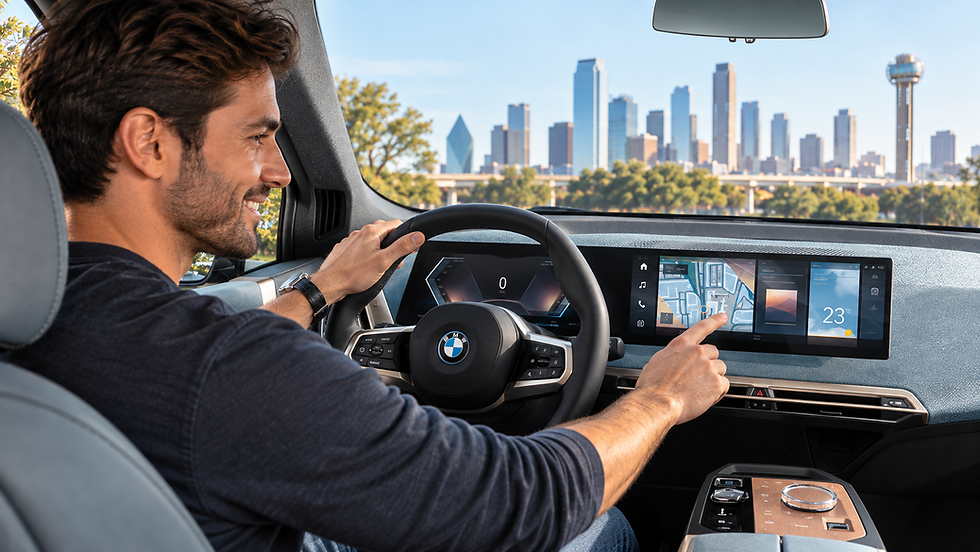
If you drive a BMW anywhere between Bedford and downtown Dallas, you've probably noticed it. One day the iDrive infotainment system runs fine, then a software update rolls out and suddenly the screen lags, CarPlay takes forever to load, or the whole system freezes at a red light on 121. You're not imagining it. We hear this complaint constantly at our shop, and after years of diagnosing device issues for DFW drivers, we've found that the BMW itself is often only half the story.
A slow or bloated iDrive infotainment system after an update is usually a combination of two things: the car's software genuinely getting heavier with each release, and the phone you're plugging into it struggling to keep up. As a repair shop, we can't touch the car's internal computer, but we repair the phones that connect to it every single day, and that's where a surprising number of these "car problems" actually start.
Why Your BMW's iDrive Infotainment System Slows Down After a Software Update

Every time BMW pushes an iDrive update, whether it's a minor patch or a full iDrive 8 or iDrive 8.5 refresh, the system adds new background processes, updated graphics rendering, and expanded CarPlay or Android Auto integration layers. On older hardware, particularly BMWs built before 2021 running iDrive 7 that get pushed newer feature sets, that added weight can make the whole infotainment system feel sluggish. Menus take longer to open. The navigation map stutters. Bluetooth pairing hangs for ten or fifteen seconds instead of connecting instantly.
What's Actually Happening Under the Hood
The iDrive infotainment system is essentially a small onboard computer, similar in concept to a tablet, running its own operating system layered on top of BMW's proprietary software. Just like your phone, it has limited processing power and memory. When an update adds new visual effects or expands app support without a hardware upgrade to match, performance suffers. This is a well documented pattern across infotainment systems generally, not unique to BMW. You can read more about how these embedded automotive systems work on the Wikipedia entry on automotive head units if you want the technical breakdown.
It's Not Always the Car, It's Often the Phone in Your Pocket

Here's the part most drivers don't expect. When your iDrive infotainment system seems bloated or unresponsive right after an update, the phone you're pairing it with is frequently contributing to the problem, sometimes more than the car is. CarPlay and Android Auto both rely on a constant, stable data handshake between your phone and the car's system. If your phone has a weakening battery, a failing charging port, or corrupted cache data from its own recent update, that connection becomes unstable, and the car's infotainment system has to keep re-negotiating the link. To the driver, it just looks like the iDrive system is lagging.
We had a customer from The Colony bring her iPhone into our shop last month after two separate trips to her BMW dealership. She'd been told both times that the car's software was "up to date and functioning normally," yet CarPlay kept dropping every few minutes on her commute down the Sam Rayburn Tollway. When we tested her phone, we found the Lightning port was packed with lint and oxidation, causing an intermittent charge and data connection. A fifteen minute port cleaning and a battery health check later, her CarPlay sessions stopped dropping entirely. The car had never been the problem.
How a Failing Charging Port or Weak Battery Confuses CarPlay and Android Auto
Wired CarPlay and Android Auto both transmit data through the same physical connector you use to charge your phone. If that port has debris, corrosion, or worn pins, the connection between your phone and the iDrive infotainment system flickers in and out. A bat
tery that's degraded past 80 percent health can also cause your phone to throttle performance to save power, which slows down how quickly it feeds data to the car's display. Apple documents this kind of CarPlay connectivity troubleshooting on its own official CarPlay support page, and it's worth a look before you assume the fault sits entirely with your BMW.
Steps to Try Before You Book a Dealership Appointment

Before spending a half day at the dealership over an iDrive infotainment system that feels bloated, try these steps first. Restart the car's infotainment system by holding the power button for ten seconds, similar to a phone reset. Unplug and reconnect your charging cable at a different angle to rule out a loose port connection. Delete and re-pair CarPlay or Android Auto from scratch instead of relying on the cached profile. And check your phone's own storage and battery health in Settings, since a phone running low on storage often slows down every connected accessory, including your car.
If those steps don't help and the lag is isolated to your phone's connection rather than the car's native menus, the issue is very likely coming from your device, not BMW's software.
When the Problem Really Is Your Phone, Not the iDrive System
We see this pattern across both iPhone and Samsung owners throughout DFW. A charging port cleaning or repair typically runs between $59 and $119 depending on the phone model and severity of the damage. A battery replacement, which resolves a lot of the throttling and reconnection issues that mimic a "slow iDrive infotainment system," generally falls between $69 and $129. If the phone itself has a cracked screen or internal water damage causing erratic behavior during CarPlay use, those repairs run higher, usually $99 to $329 depending on the device and extent of the damage. Compare that to a diagnostic visit at a BMW dealership, which can run well over $200 just to be told the car is functioning as designed.
If you're dealing with connectivity problems tied to an iPhone, our iPhone repair service covers charging port cleaning, battery replacement, and full diagnostics in one visit. Samsung and Android Auto users have similar issues, and our Samsung repair service handles the same category of charging port and battery problems that tend to masquerade as car software bugs.
How iFix Can Help

We've repaired more than 10,000 devices for drivers across the DFW metro, and infotainment connectivity complaints have become one of the more common reasons people walk through our doors at both our Bedford and The Colony locations. If your BMW's iDrive infotainment system started acting up right after a software update, don't assume the worst about your car before ruling out the phone in your pocket. Our technicians can run a full diagnostic on your charging port, battery, and software in under an hour, often the same day you call. Book an appointment with iFix and we'll figure out whether it's your phone or your car causing the slowdown, and fix whichever one it turns out to be.
Frequently Asked Questions
Can a phone update really slow down my BMW's iDrive infotainment system?
Yes. When your phone's operating system updates, it can change how CarPlay or Android Auto negotiates its connection with the car, sometimes causing temporary lag or dropped sessions until both systems stabilize. If the slowdown persists for more than a few drives, the issue is usually hardware related on the phone side, such as a worn charging port or a battery that can't maintain a steady connection.
Should I take my car to the dealership or my phone to a repair shop first?
Start with your phone if the lag only happens during CarPlay or Android Auto use and the car's native menus, radio, and navigation work fine on their own. That's a strong sign the bottleneck is coming from your device rather than the iDrive infotainment system itself. A phone diagnostic is faster and considerably cheaper than a dealership visit, and it rules out the most common cause first.
How much does it cost to fix a charging port that's causing CarPlay problems?
At our Bedford and The Colony locations, charging port cleaning and repair typically runs between $59 and $119 depending on the phone model and how much debris or corrosion has built up. If a battery replacement is also needed to fully resolve the connection drops, expect an additional $69 to $129. We'll always diagnose the issue first and give you a clear price before any work begins.


Comments